Timed locks
30 minutes, one hour, two hours or until you unlock. You always see when it ends.
 Blok
Blok
Parental control for iPhone
One tap on LOCK and the apps you picked are locked on your child's iPhone. Dinner, homework or bedtime: you decide when it's time for a screen break.
For iPhone with iOS 16 or later, on both your phone and your child's.
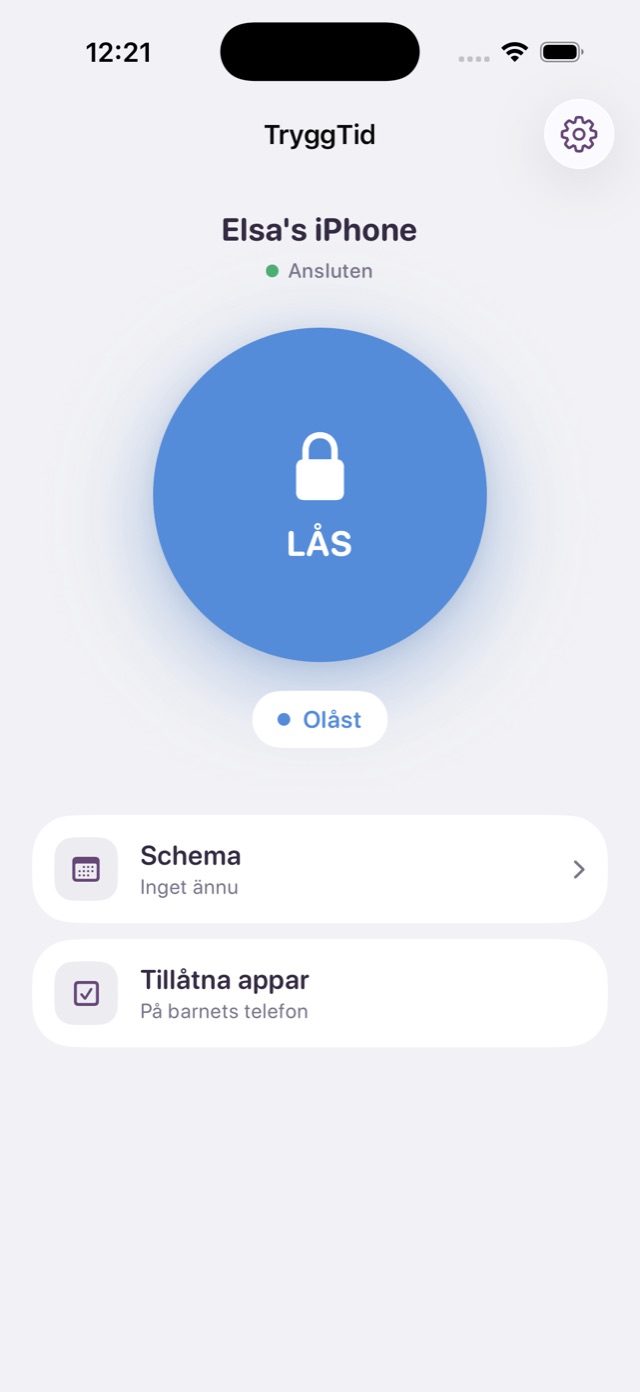
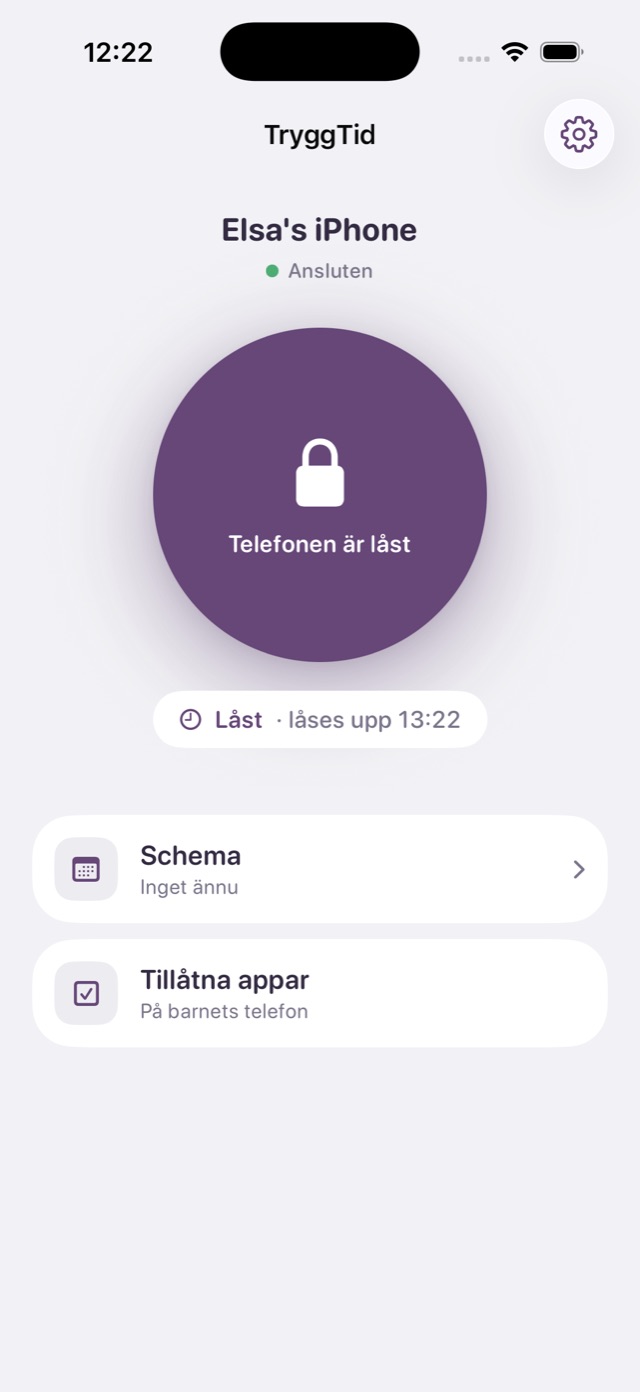
Blok is a parental control app for iPhone. You lock selected apps on your child's iPhone remotely, from your own phone, in one tap. The lock can last until you unlock, for a set time, or follow schedules for school hours and bedtime.
Apple's Screen Time enforces the lock, so it holds even if the app is closed or the phone restarts. Blok blocks apps; it doesn't monitor your child.
Up and running in minutes. No account for your child, no fiddly settings.
Choose "Parent" on your iPhone and "Child" on your child's.
Enter the code from your phone, approve Screen Time and pick the apps to block.
Wherever you are. Unlock just as easily, or let a timed lock do it for you.
Blok does one thing: gives your child a break from the phone when you decide.
30 minutes, one hour, two hours or until you unlock. You always see when it ends.
Pick the days and times, and the phone locks and unlocks on its own.
Lock games and social media, leave Phone and Messages alone. Emergency calls always work.
The lock is built on Apple's Screen Time and holds even if the app is closed or the phone restarts.
Settings on your child's phone are protected by a PIN only you know.
Pair up to three phones and lock each one on its own.
Blok doesn't read messages, track location or collect what your child does on the phone. It locks, and that's it.
Install Blok on your iPhone and your child's, and pair them with a code. Then tap LOCK in the app on your phone and the apps you chose are blocked on your child's phone. You can lock until further notice, for a set time, or with schedules.
The lock is sent to your child's phone right away, but how fast it arrives depends on the phone's connection and iOS. If the phone is offline, the lock applies when it's back, and the app keeps retrying until the phone has answered. An app that's already open is locked the next time your child switches apps or unlocks the screen. Your phone shows when your child's phone has confirmed the lock.
Blok is built on Screen Time, but turns it into one tap from your own phone: lock now, timed locks and schedules, with a clear button that shows whether your child's phone is locked.
An iPhone with iOS 16 or later and Blok installed. Your child needs no account of their own. You approve Screen Time on your child's phone once while pairing.
Settings are protected by your PIN and iOS enforces the lock, so it holds even if the app is closed or the phone restarts. The only way around it is a factory reset of the phone, which no parental control can prevent.
Yes. You choose which apps are locked, so Phone and Messages can stay open. Emergency calls always work.
No. Blok reads no messages, tracks no location and doesn't collect which apps your child uses. The choice of apps to lock stays on your child's phone.
Yes. When you pair the phones, you choose which apps on your child's iPhone get locked, for example TikTok, YouTube, Snapchat, Instagram, Roblox or other games. Phone, Messages and any other apps you want open keep working.
Blok has a subscription, Blok Plus, and the price for your country is shown in the App Store. Unlocking your child's phone always works, even without a subscription. Blok has no ads.
Yes, the name is common. This app is called Blok: Parental Control and is made for families: a parent locks the apps on their child's iPhone from their own iPhone. It isn't an app for limiting your own screen time. Look for the icon: a white padlock on a blue circle.
Not yet. Blok is built for iPhone, for both you and your child.